For agencies and freelancers
Facebook and Google ads for every client, checked against the rules
For agencies and freelancers who run ads for small businesses. Add each client once, and EasyMarket builds their Meta and Google campaigns with every setting filled in, using that client's business details, and checks each one against the advertising rules for their business and state.
How it works for agencies
A separate workspace for each client
Each client's business details, campaigns, notes and results are kept apart, so nothing from one client ends up in another's ads.
Your whole team works on every client
Staff seats belong to your agency. Add someone once and they can work on every client. Remove them and they lose access to all of them at once.
Checked against the rules for each client
Housing, job and credit ads have targeting limits on Meta and Google. Real estate ads must follow fair housing rules and, in Texas, Florida and California, license disclosure rules. Every campaign is checked before you publish it, and you can check an ad you already have with the free ad checker.
A setup guide with every campaign
A screen-by-screen guide for Meta Ads Manager and Google Ads tells whoever publishes it in the client's ad account what goes in every box. The Google campaign can also be imported in one file with Google Ads Editor.
Client sign-off, under your agency's name
Send a client a private link to a campaign. They see the ads, the budget and the rule check with your agency's name, logo and color, then approve it or ask for changes. The link works for 30 days, and you get an email when they answer.
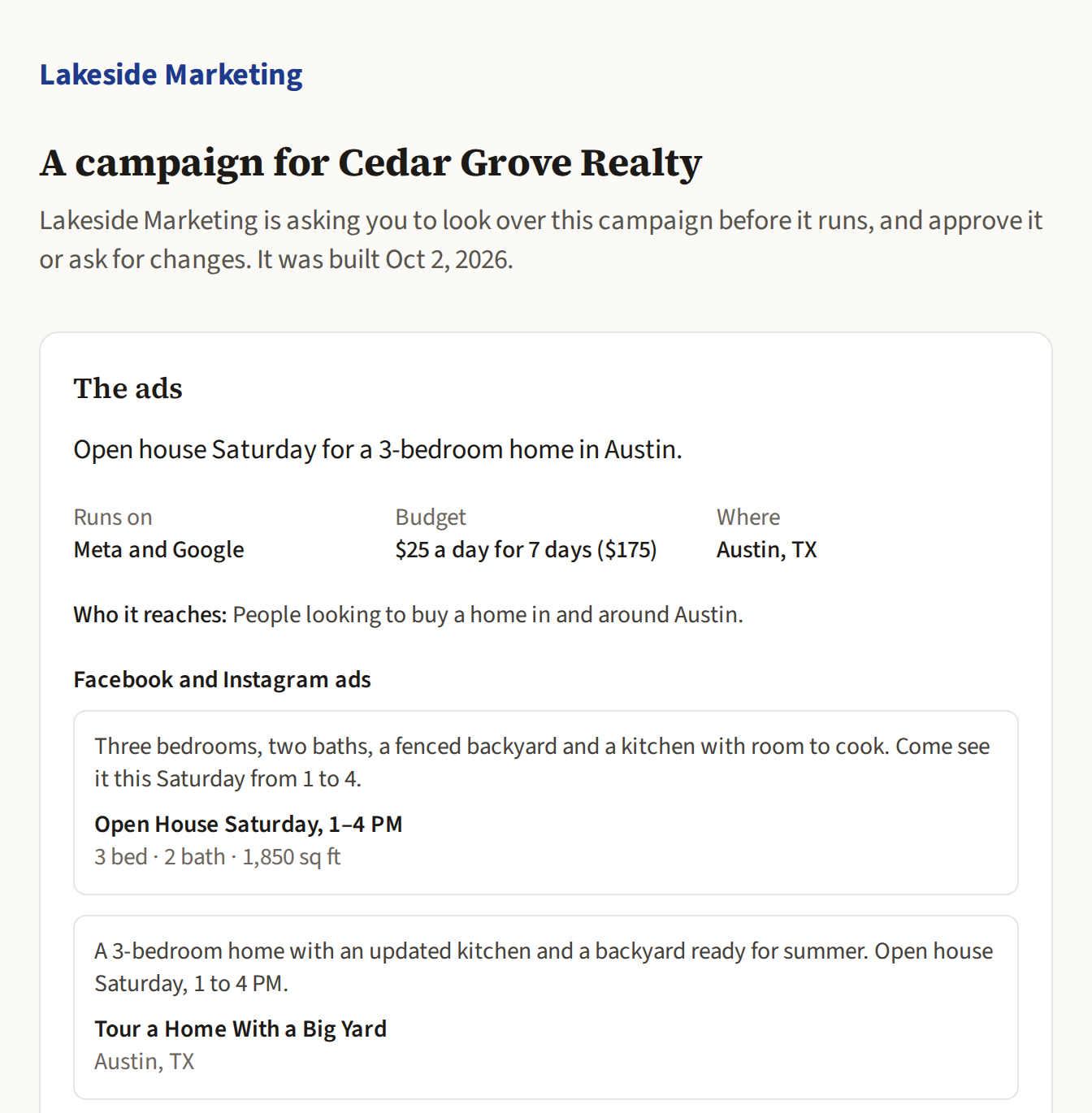
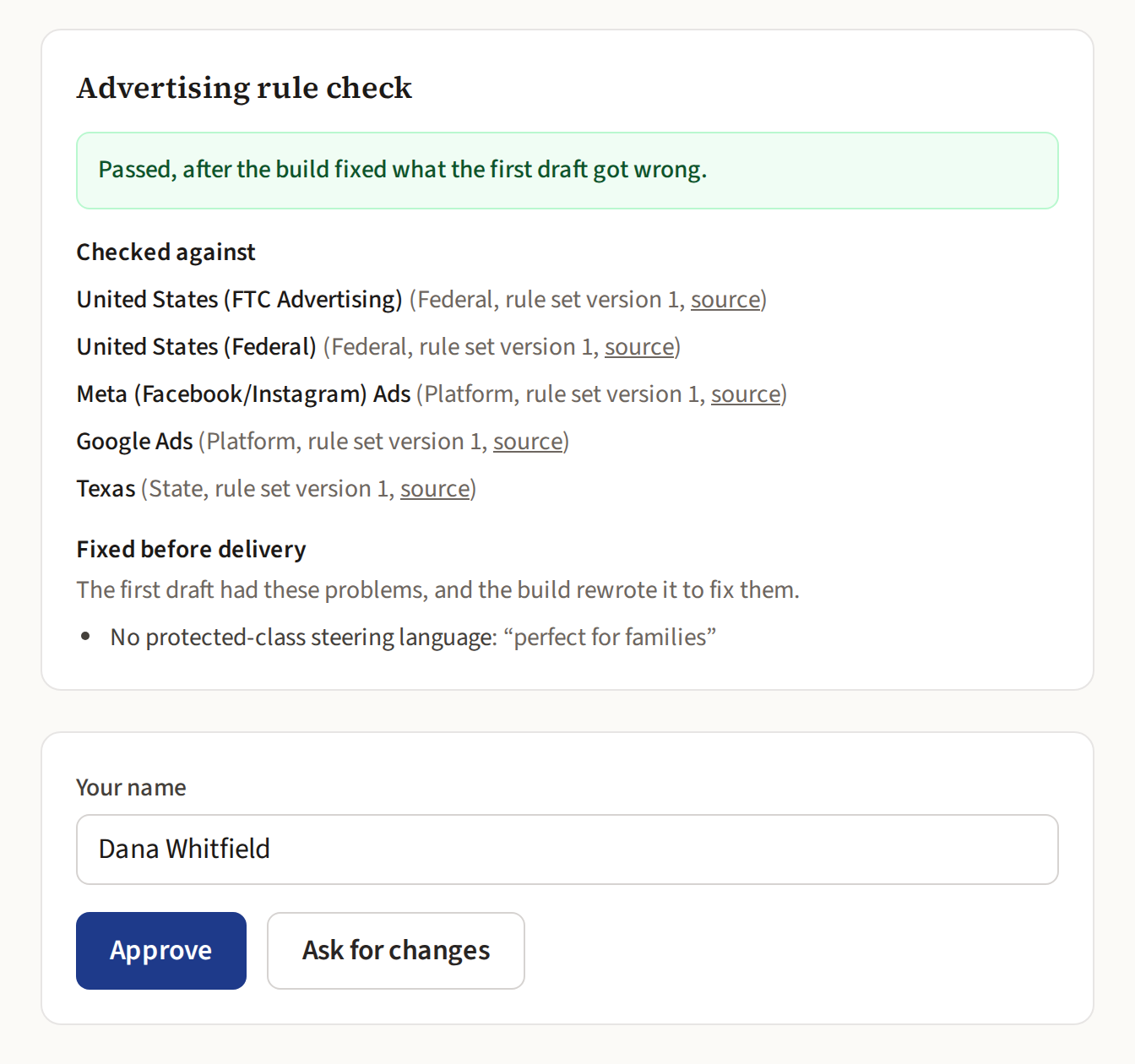
The agency and client shown are made up for this page.
And for every client
Rule-check records
Every campaign keeps a record of the rules it was checked against and anything fixed before delivery, ready to print or save as a PDF for the client's file.
Pictures and video
Make every ad size and short videos from a client's photos, with their headline, logo and disclosure. They're made in your browser, so the photos aren't uploaded.
Changes when a client asks
Turn a client's notes into a new version. The campaign is rewritten and checked again, and the earlier version stays as it was.
Pictures, video and changes come with the subscription.
Pricing
Agency plan
$50 per staff seat, per month
Unlimited clients and one bill for the whole agency. Each seat includes 1,500 AI credits a month.
- No fee on your ad spend. You pay Meta and Google directly, and the ad accounts stay your clients'.
- No trial that turns into a subscription. You subscribe when you're ready, and nothing is charged before then.
- Cancel in two clicks under Billing. No call, no email. The plan runs to the end of the period you've paid for.
Questions
- Do my clients need accounts?
- No. You add each client's business details yourself, and only your staff sign in. To get a client's sign-off, send them an approval link: they see the campaign and approve it or ask for changes, no account needed. Clients never see each other's workspaces.
- Does EasyMarket publish the ads?
- No. You publish them from the client's own Meta and Google ad accounts, following the setup guide, so the ad accounts, ad spend and results stay with the client.
- How are AI credits counted?
- Each staff seat includes 1,500 AI credits a month, used across all your clients. If a seat runs out early, wait until its credits renew or add more. Pictures and video don't use them.
- Can I advertise my own agency too?
- Yes. Add your agency as a client and build its campaigns the same way.
- Are the rule checks legal advice?
- No. They catch common problems with the advertising rules, but you and your client are responsible for the final ads.