For small businesses and real estate agents
Facebook, Instagram and Google ads, checked against the rules
- 1.
Tell us about your business and what you want to promote.
- 2.
Our AI builds your campaign: the ads, who should see them and a daily budget, all checked against advertising rules, including Fair Housing and license rules for real estate.
- 3.
Publish it from your own Facebook and Google accounts, following a guide that tells you what to choose or type in every box. For Google, you can import the whole campaign as one file instead.
- $1 for your first campaign. Nothing renews after it.
- $50 a month per person, only if you subscribe. No contract.
- Cancel in two clicks under Billing. No call, no email.
- No fee on your ad spend. You pay Meta and Google directly.
What every campaign comes with
Shown here with a made-up real estate business, in the real app.
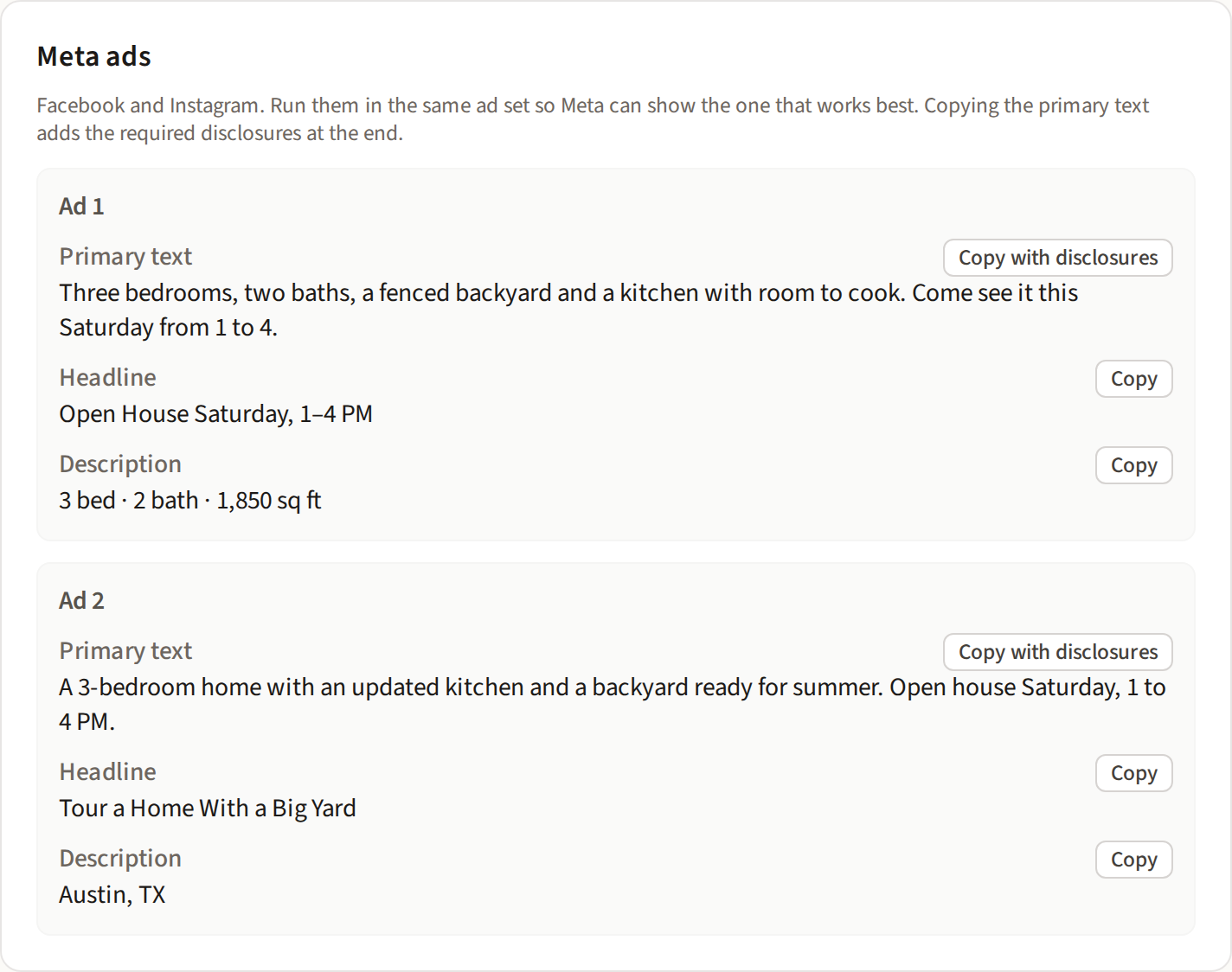
Ads ready to copy
Facebook and Instagram ads and a Google search ad, written from your business details and kept within each platform's limits.
Copy any piece with one click. When an ad needs a disclosure, such as your brokerage and license number, it's added as you copy.
Every box filled in, or one file for Google
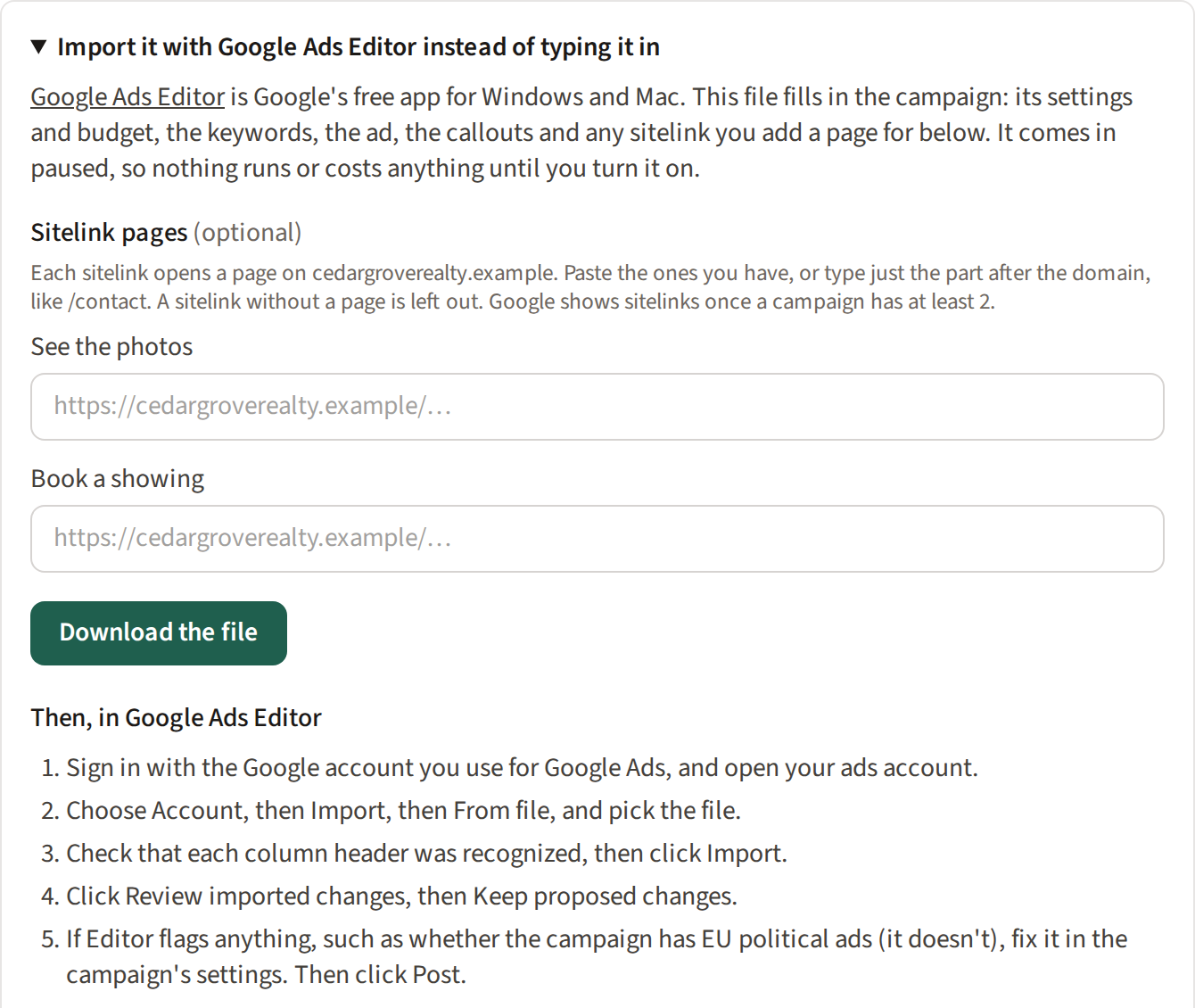
A screen-by-screen guide tells you what to choose or type in Meta Ads Manager and Google Ads, from the objective to the keywords, with tracking links so you can see which ads bring customers.
For Google, you can skip the typing: download the campaign and import it with Google Ads Editor, Google's free app. It arrives paused, so nothing runs until you turn it on.
A record of what it was checked against
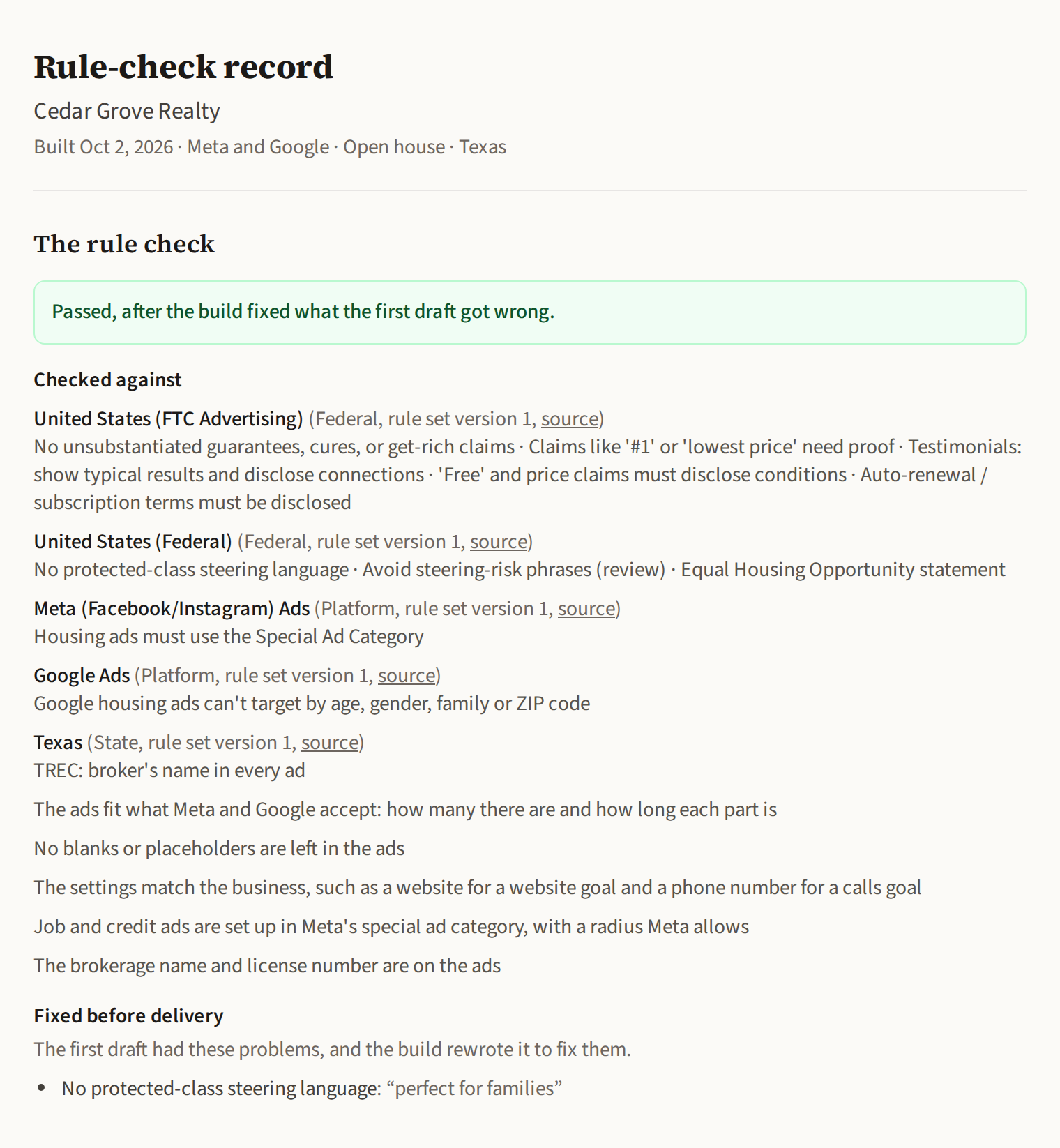
Every campaign keeps a record of the rules it was checked against, with each rule set's version and source, and anything fixed before you saw it.
Print it or save it as a PDF for your files.
Pictures and video from your own photos
Included with the subscription. They're made in your browser, so your photos and clips are never uploaded.
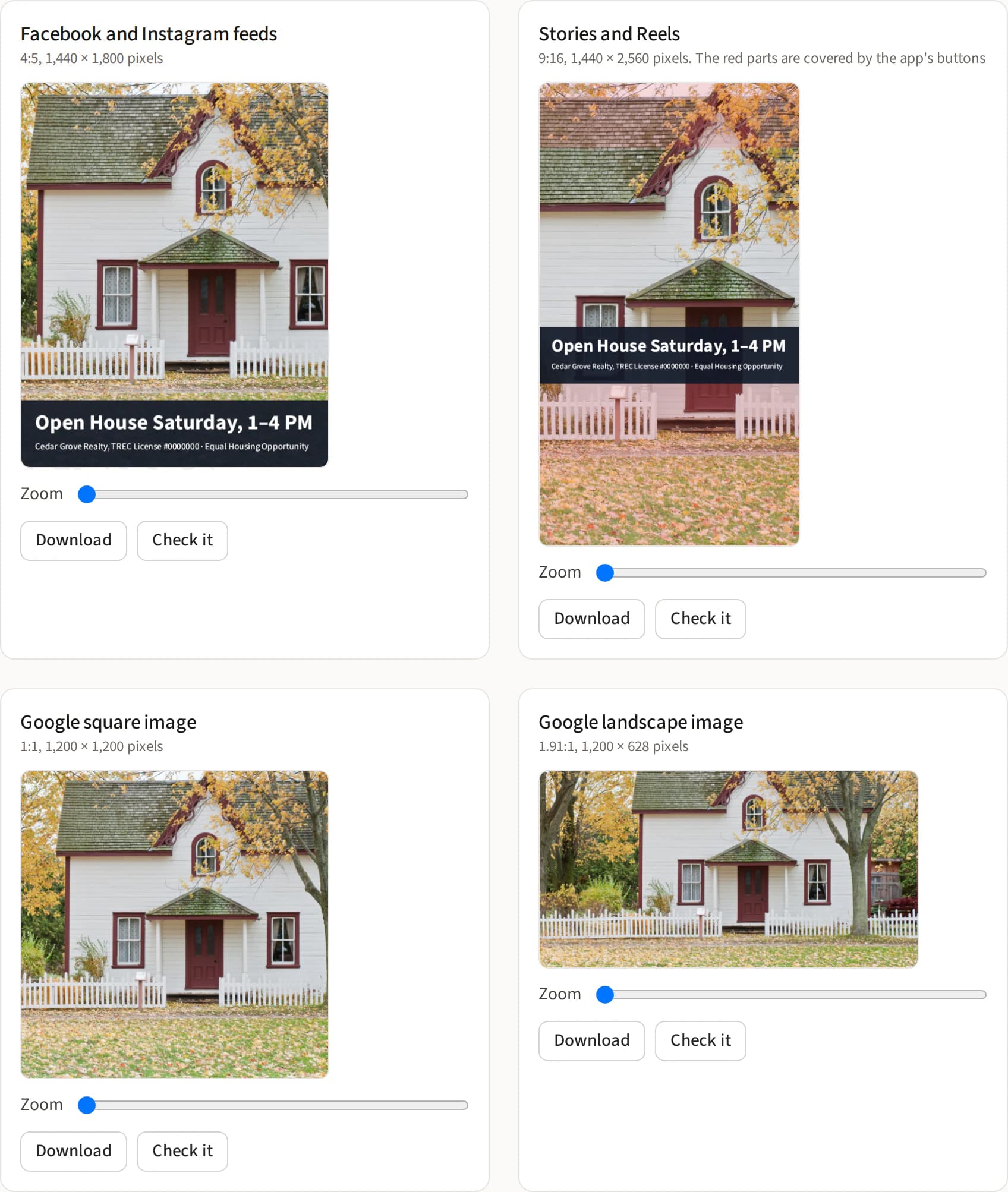
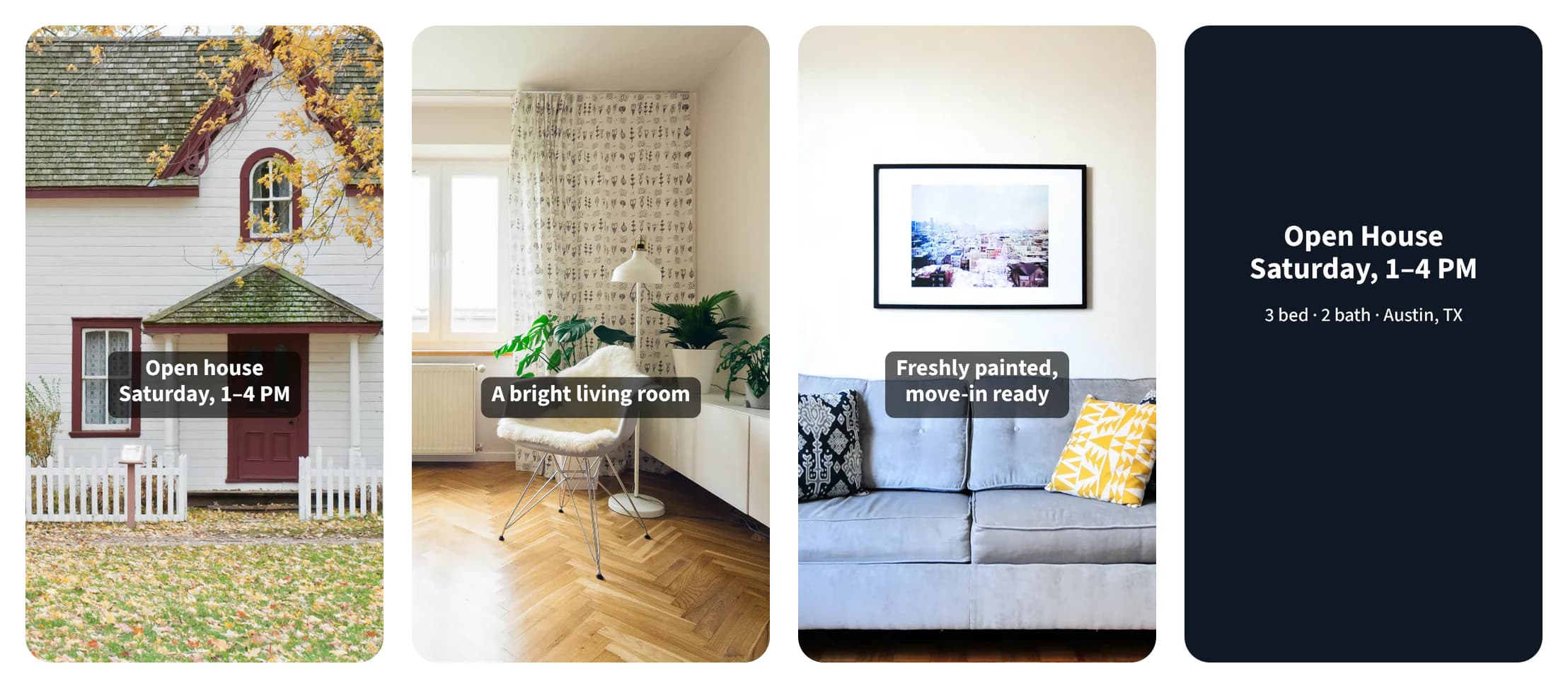
Every ad size from one photo
Pick a photo and get the four sizes Meta and Google recommend: feed and Stories for Facebook and Instagram, square and landscape for Google. Drag and zoom to frame each one.
The Meta sizes can carry your headline, logo and disclosure, kept clear of the parts of Stories and Reels the app covers. Google's stay plain, because Google doesn't allow added text or logos on them.
Short videos for Reels, Stories and feeds
Put up to ten photos and clips in order, add a caption to each, and finish on an end card with your headline. You get an MP4 up to 60 seconds long, vertical, 4:5 or square, ready to upload.
A check for any photo
Before you use a photo, the image check looks for anything that could get the ad rejected, what the rules for your kind of business say, such as California's rule on edited listing photos, and how to crop it for each place the ad shows.
What it catches
Every ad is checked before you see it, down to Google's length and punctuation limits. A few examples:
Fair Housing wording
Before: “Perfect for families”
After: Rewritten to describe the home instead: “Three bedrooms and a fenced yard”
Brokerage and license details
Before: An open house ad that doesn't name the brokerage
After: The brokerage's name, and the license number where the state requires it, added from your business details
Edited listing photos
Before: A virtually staged living room in a California listing ad
After: Spotted by the image check, with California's rule: say next to the photo that it was altered, with a link or QR code to the original
Claims that need proof
Before: “The #1 plumber in town”
After: Flagged for you to check, with a line you can prove: “4.9 stars from 200 Google reviews”
Free offers
Before: “Free trial, no obligation”
After: Flagged, with what the ad has to say: any purchase required, when the offer ends and what's charged after the trial
Job and financial ads
Before: “0% APR financing on a new AC”
After: Set up in Meta's Financial products and services category, with the targeting Meta allows
Have an ad already? Check it free with the same checks.
Pick your industry
Campaign ideas, examples and the rules that matter, for each industry.
Pricing
Start with one campaign for $1. Subscribe only if you want more.
First campaign
$1
One complete campaign. No subscription needed.
- Facebook, Instagram and Google ads for your business
- Checked against the rules for your business and state
- The setup guide for every box, and the Google Ads Editor file
- A rule-check record to print or save
Subscription
$50 per person, per month
Includes $20 of AI usage each month.
- More campaigns, as many as your usage covers
- Changes to finished campaigns, checked again
- The image check
- Pictures and video, as many as you like, without using your AI usage
- Run out of usage early? Wait for it to renew, or add $20 more for $25.
- $1 for your first campaign. Nothing renews after it.
- $50 a month per person, only if you subscribe. No contract.
- Cancel in two clicks under Billing. No call, no email.
- No fee on your ad spend. You pay Meta and Google directly.
- No surprise AI charges. Each person gets $20 of AI usage a month. If it runs out, you decide whether to buy more.
- Cancelling takes effect at the end of what you've paid for. You keep building until then.
Questions
- Does EasyMarket run my ads?
- No. EasyMarket builds the campaign and walks you through setting it up. You create the ads in your own Meta Ads Manager or Google Ads account, or import the Google campaign with Google Ads Editor, and your ad spend goes to Meta or Google.
- Who writes the ads?
- Our AI writes them from your business details and what you ask for. Every campaign is checked against the advertising rules before you see it, and nothing runs until you publish it yourself.
- What does it cost?
- Your first campaign is $1, with no subscription. After that it's $50 a month per person, including $20 of AI usage each month. If you run out, wait until it renews or buy more: $25 adds another $20 of usage.
- Which rules does it check?
- Every ad is checked against FTC advertising rules: claims you'd need to prove, free offers, testimonials and auto-renewing plans. Real estate ads are also checked for Fair Housing wording, housing ad category settings, and brokerage and license details for Texas, Florida and California. Job ads, and ads offering credit, financing, insurance or banking, get the Meta category they need. Google ads are checked against Google's limits on length, punctuation, emoji and phone numbers. With a subscription, the image check looks at your photos too.
- Are my photos uploaded?
- Not for pictures and video. They're made in your browser, and your photos and clips stay on your device. The image check is different: the photo you check is sent to our AI provider for that check, and isn't saved.
- Is this legal advice?
- No. EasyMarket gives educational marketing guidance and catches common problems, but it can't catch everything. You're responsible for the ads you run.